
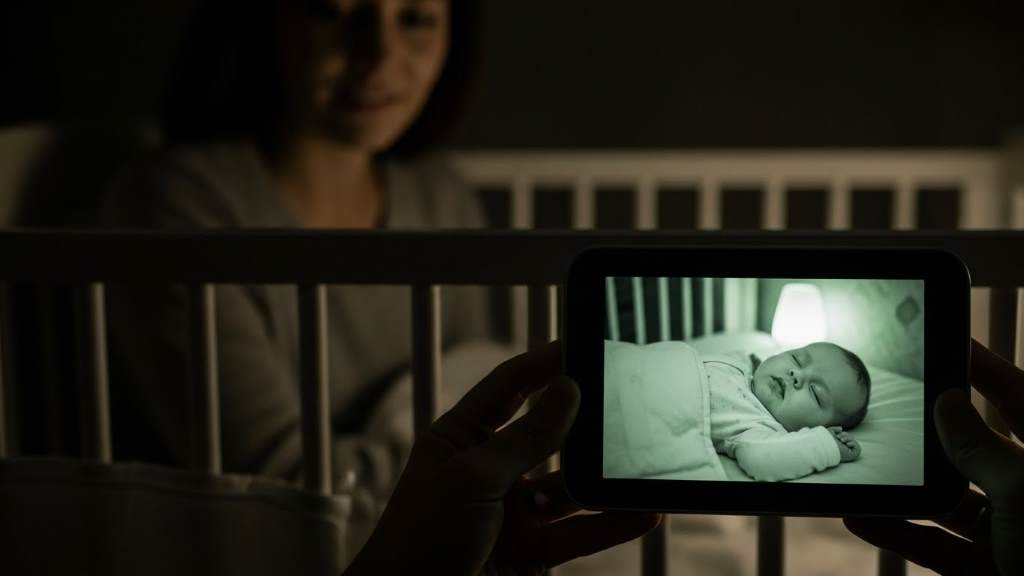
New parents often lie awake at night, wondering if their little one is sleeping soundly. That quiet nursery can feel miles away, even when it’s just down the hall. However, a reliable baby monitor changes everything. It lets you check on your baby without disturbing their rest.
Today, many families choose models with excellent night vision. These devices deliver a clear night vision monitor view in total darkness. For instance, an infrared night vision baby monitor like the Babysense 5 HD stands out. It provides sharp images overnight, helping parents respond quickly if needed.
Moreover, safe sleep matters deeply. The American Academy of Pediatrics reports that about 3,500 infants die each year in the U.S. from sleep-related causes, including sudden infant death syndrome (SIDS). On the positive side, safe sleep practices have cut these risks significantly since the 1990s. Night vision monitors add an extra layer of reassurance. They allow visual checks without entering the room.
In addition, these tools help parents spot issues like blanket coverage or unusual movements. Consequently, families sleep better knowing they can watch over their baby anytime.
Why Night Vision Matters in Baby Monitors
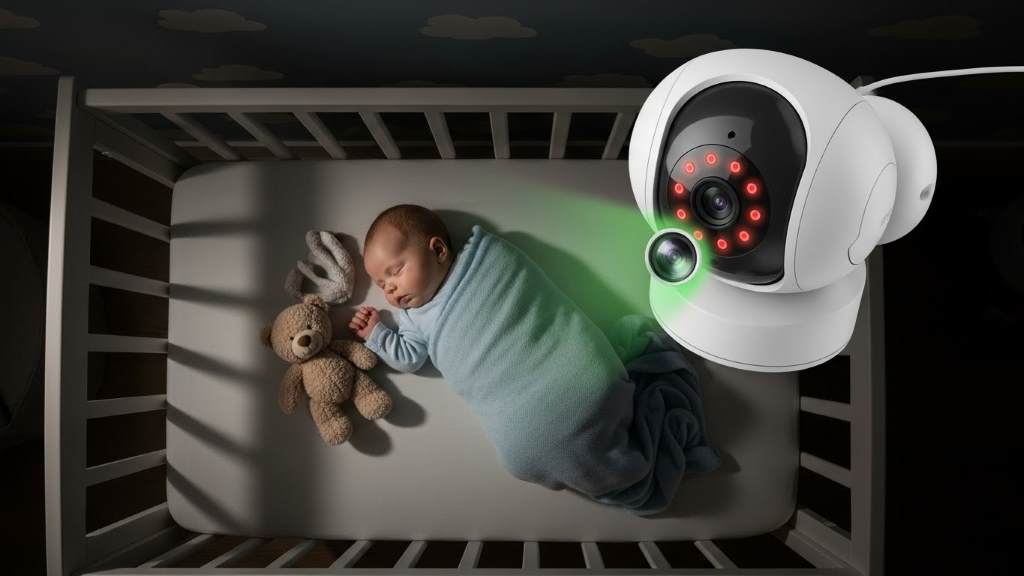
Parents rely on baby monitors mostly at night. Babies need dark rooms for quality sleep, yet you still want to see them clearly. That’s where night vision shines.
Most modern monitors use infrared technology. It captures light invisible to the human eye and creates a grayscale image. As a result, you get a clear view without turning on lights.
Furthermore, strong night vision reduces unnecessary trips to the nursery. You can tell if your baby is truly awake or just stirring. This preserves everyone’s rest.
On the other hand, poor night vision leads to grainy, unclear feeds. Parents then enter the room more often, risking wake-ups. Therefore, prioritize models with sharp infrared performance.
Additionally, some monitors offer color night vision with low-light enhancements. However, traditional infrared remains reliable and gentle on baby’s eyes.
Key Features to Look For in a Night Vision Baby Monitor
Choosing the right monitor involves several factors. Focus on these essentials for overnight safety.
First, consider video quality. Look for at least 720p resolution, though 1080p delivers sharper details. Higher resolution pairs well with good night vision for a clear night vision monitor experience.
Next, evaluate range and connection type. Non-WiFi models use dedicated signals for privacy and reliability. WiFi options allow remote viewing but require strong internet.
Then, check battery life on the parent unit. Long-lasting power ensures uninterrupted monitoring during blackouts or travel.
Also, two-way audio lets you soothe your baby remotely. Temperature sensors alert you to room changes. Lullabies or white noise add comfort.
Finally, pan-tilt-zoom functions help scan the entire crib. Split-screen supports multiple cameras for twins or siblings.
- High-resolution display for day and night clarity
- Secure connection to avoid interference
- Long range for larger homes
- Expandable systems for growing families
- Easy setup and intuitive controls
These features combine to create a practical, reassuring tool.
Top Non-WiFi Baby Monitors with Excellent Night Vision
Non-WiFi monitors appeal to parents prioritizing privacy. They avoid hacking risks and work without internet.
Infant Optics DXR-8 Pro
Parents praise this model for its simplicity and performance. It features a 5-inch screen with 720p video. Active noise reduction sharpens audio.
Moreover, the night vision excels. You see clear details even in pitch black. Interchangeable lenses offer optical zoom without quality loss.
Additionally, it swaps cameras easily and holds strong signals through walls.
Babysense MaxView
This split-screen option handles multiple rooms seamlessly. Its 5.5-inch 1080p display shows vivid images.
In fact, the infrared night vision produces crisp grayscale views. A large battery lasts up to 20 hours in eco mode.
Furthermore, remote pan-tilt-zoom covers wide areas. Built-in night lights and lullabies soothe from afar.
Eufy SpaceView Pro
Known for sharp visuals, this monitor uses a dedicated connection. The 5-inch screen displays 720p footage reliably.
Night vision stands out with minimal glare. Long range suits bigger homes.
Plus, it includes temperature monitoring and two-way talk.
These non-WiFi picks deliver secure, straightforward overnight watching.
Related:
Best Baby Lounger Shops in Palm Springs, CA
How to Relieve Baby Gas Pain Naturally at Night
Best WiFi Smart Baby Monitors with Advanced Night Vision
WiFi monitors connect to apps for anywhere access. They suit traveling parents or those wanting sleep analytics.
Nanit Pro
This overhead-mounted camera tracks sleep patterns insightfully. It streams 1080p video with outstanding night vision.
You spot subtle movements easily. Breathing wearables add data, though optional.
Additionally, the app provides personalized tips. Split-screen views multiple children.
CuboAi Plus
AI features detect face covers or rollovers here. Crisp night vision uses advanced sensors.
Alerts arrive quickly for cries or dangers. Sleep reports summarize nights.
Moreover, a built-in night light adjusts automatically.
Miku Pro
Contactless breathing tracking sets this apart. Ultra-HD video includes excellent low-light performance.
Crypto-chip security protects feeds. Two-way audio and lullabies help remotely.
These smart options blend night vision with intelligent insights.
How to Set Up Your Baby Monitor for Optimal Overnight Use
Proper setup maximizes safety and performance.
Start by mounting the camera high, overlooking the crib. Avoid edges where babies might reach cords.
Then, position it for full views without obstructions. Test angles during day and night.
Next, secure cords at least three feet away. Use covers if needed.
Also, adjust sensitivity for alerts. Too many false ones disrupt sleep.
Finally, maintain firmware updates for security, especially on WiFi models.
Regular tests ensure reliable connections.
Tips for Safe Overnight Monitoring
Monitors enhance awareness but follow safe sleep guidelines.
Always place babies on their backs in bare cribs. No pillows, blankets, or toys.
Room-share without bed-share for the first six months at least.
Keep rooms cool, around 68-72°F.
Additionally, combine monitors with routines like consistent bedtimes.
If alerts sound, check promptly but calmly.
These habits, plus a clear night vision monitor, promote secure nights.
Conclusion
A quality night vision baby monitor brings invaluable peace. It lets you watch over your sleeping baby effortlessly.
From private non-WiFi classics to feature-rich smart models, options abound today. Prioritize clear infrared views, reliable connections, and useful extras.
Ultimately, the best choice fits your family’s needs. It supports restful nights for everyone.
Ready to find your ideal monitor? Research models mentioned here and read parent reviews. Your calmer evenings await.
FAQs
How does night vision work in baby monitors?
Infrared LEDs illuminate the room invisibly. The camera captures this light, creating a visible grayscale image on your screen.
Are WiFi baby monitors safe from hacking?
Reputable brands use encryption and updates. However, non-WiFi avoids internet risks entirely. Change default passwords always.
Can night vision disturb my baby’s sleep?
No. Infrared light remains invisible and gentle. It doesn’t emit visible glows that wake babies.
Do I need a monitor if my baby is in the same room?
Many parents use them for visual checks without movement. They prove especially helpful during naps or illness.
How far can baby monitors reach?
Non-WiFi often hits 900-1000 feet open air. Walls reduce this. WiFi depends on your home network.
Ref:
- American Academy of Pediatrics. (2022). Sleep-Related Infant Deaths: Updated 2022 Recommendations. https://publications.aap.org/pediatrics/article/150/1/e2022057990/188304/Sleep-Related-Infant-Deaths-Updated-2022
- Centers for Disease Control and Prevention. Sudden Unexpected Infant Death and Sudden Infant Death Syndrome. https://www.cdc.gov/sudden-infant-death/sleep-safely/index.html
- Consumer Reports. Best Baby Monitors of 2026. https://www.consumerreports.org/babies-kids/baby-monitors/best-baby-monitors-a8598638140/
- Wirecutter (NYT). The 5 Best Baby Monitors of 2026. https://www.nytimes.com/wirecutter/reviews/best-baby-monitor/