

Key Takeaways
- Reliable hybrid-work networks depend on thoughtful planning for wired connections, wireless coverage, cloud applications, voice, video, security, and future growth.
- A network assessment should account for users, devices, applications, floor plans, equipment age, and internet continuity.
- Structured cabling, segmentation, backup power, alternate connectivity, and clear documentation help reduce avoidable disruption.
- Security should be included in the design process, rather than treated as an add-on after installation.
- Testing and ongoing maintenance help keep the network aligned with changing business needs.
Murfreesboro businesses operate in a fast-growing regional economy where offices, medical practices, schools, warehouses, and service companies often depend on cloud platforms and connected devices throughout the workday. A reliable network is what keeps those tools usable when employees move between the office, home, customer sites, and meeting rooms.
For organizations planning the physical side of that infrastructure, telecommunications Murfreesboro support from LanLink Communications can provide useful local perspective. LanLink Communications is a Murfreesboro-based low-voltage infrastructure provider serving Greater Nashville and Tennessee businesses with network cabling, fiber optic, rack systems, wireless, and network design services for commercial, healthcare, education, and industrial environments.
Why Network Planning Matters
Business networks now carry much more than desktop internet traffic. They may support software-as-a-service applications, digital phone systems, video meetings, file sharing, security cameras, door access systems, point-of-sale tools, scanners, and guest Wi-Fi. When the underlying design is undersized or poorly documented, problems can appear as slow transfers, dropped calls, dead zones, crowded Wi-Fi, or recurring outages.
Internet speed matters, but it is only one part of reliability. Cabling quality, switch capacity, access point placement, power protection, security controls, and maintenance procedures all affect the employee experience.
Assess the Current Network Environment
Start with an accurate picture of how the organization works today. Record the number of employees, typical device counts, key applications, busiest rooms, existing providers, network closets, switch ports, access points, and known trouble areas. Include the building layout because walls, equipment, and distance can influence cabling routes and wireless performance.
Questions to Ask
- Which applications are essential to daily operations?
- Where do employees, guests, and connected devices concentrate?
- Which equipment is aging, unsupported, unlabeled, or difficult to trace?
- Will the business add staff, workstations, floors, sites, or connected systems?
- What happens if the primary internet service or a key switch fails?
Plan Cabling for Long-Term Use
Wireless devices still depend on a wired foundation. Properly planned structured cabling gives work areas, access points, cameras, phones, and network equipment stable connections. It also makes future changes less disruptive than relying on temporary cords or undocumented pathways.
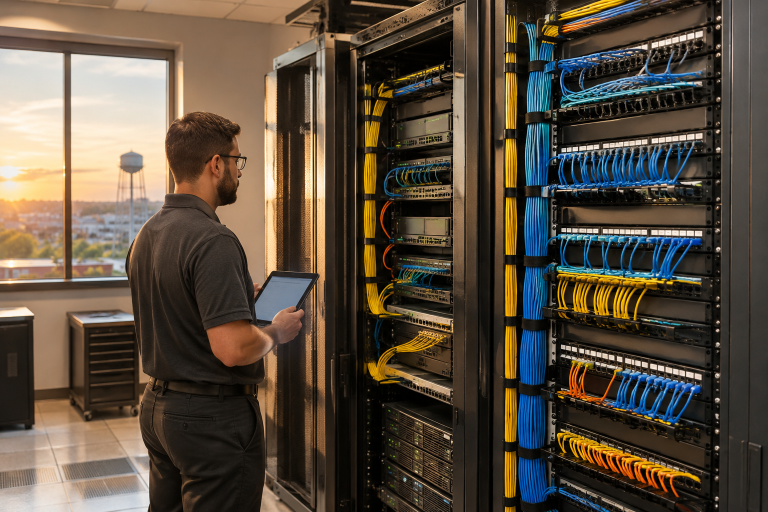
Use labeled patch panels, sensible rack placement, protected pathways, and organized cable management. Copper cabling can serve many work-area connections, while fiber is often appropriate for longer runs, building backbones, or high-capacity links. Leave spare pathway and port capacity so growth does not require immediate rework.
Improve Wireless Coverage and Capacity
Buying newer access points does not automatically solve Wi-Fi problems. Coverage and capacity are affected by building materials, room layouts, nearby networks, machinery, user density, and the number of devices competing for service.
Wireless Planning Steps
- Map work areas, meeting rooms, entrances, storage areas, and high-traffic spaces.
- Estimate the devices and users active in each location.
- Place access points for expected demand, not simply where they are easiest to mount.
- Separate employee, guest, and approved device networks where appropriate.
- Test performance during normal busy periods and after layout changes.
Support Office and Remote Workers
Hybrid work extends the network beyond the office. Remote users may connect through home networks, mobile connections, and managed laptops, while office users rely on wired and wireless access. Both groups need dependable access to approved applications, along with clear procedures for support and incident reporting.
Protect remote access with multi-factor authentication, current device updates, and role-based permissions. Voice and video services also require stable connectivity, sufficient upload capacity, and traffic prioritization to prevent large transfers from interfering with calls.
Build Security into the Design
Security decisions should guide the network from the start. The NIST Cybersecurity Framework helps identify, protect, detect, respond, and recover from risks. Use strong admin credentials, multi-factor authentication, timely updates, and access controls. Segment guest, employee, voice, camera, and building-management traffic to reduce exposure. Businesses can also use CISA zero trust guidance to consider an approach that verifies users, devices, and access requests rather than automatically trusting every connection.
Add Backup and Network Resilience
A resilient network can continue operating or recover quickly when a provider, cable, device, or power source fails. Options include a secondary internet connection, battery backup for critical equipment, spare components, redundant links for important areas, cloud backups, and current support contacts.
Priorities vary by organization. A Murfreesboro medical office may require dependable access to scheduling and communications systems, while a warehouse may place greater emphasis on handheld scanners, cameras, inventory tools, and wide wireless coverage.
Document, Test, and Maintain the System
Installation is not the finish line. Keep network diagrams, cable and port labels, equipment locations, Wi-Fi maps, provider information, configuration backups, warranties, and a change history. Review performance regularly, inspect network rooms for heat or loose connections, test backup connectivity, and reassess coverage after renovations.
When to Bring in a Network Specialist
Professional planning is especially valuable during a move, expansion, renovation, fiber project, major cabling upgrade, or persistent wireless issue. A qualified specialist can coordinate with contractors, assess the physical environment before equipment is purchased, and help reduce rework when downtime would affect customers, safety, or operations.
A Practical 2026 Network Checklist
- Audit users, devices, applications, equipment, and building spaces.
- Review cabling condition, labeling, pathways, and spare capacity.
- Plan Wi-Fi around user density and connected-device demand.
- Protect remote access and separate sensitive traffic where practical.
- Prepare for internet and power interruptions.
- Document the environment and schedule routine testing.
A dependable business network begins with a clear plan, not a rushed equipment purchase. By combining a strong physical foundation with secure access, resilient connectivity, and ongoing maintenance, Murfreesboro organizations can support hybrid work with greater consistency and confidence.