
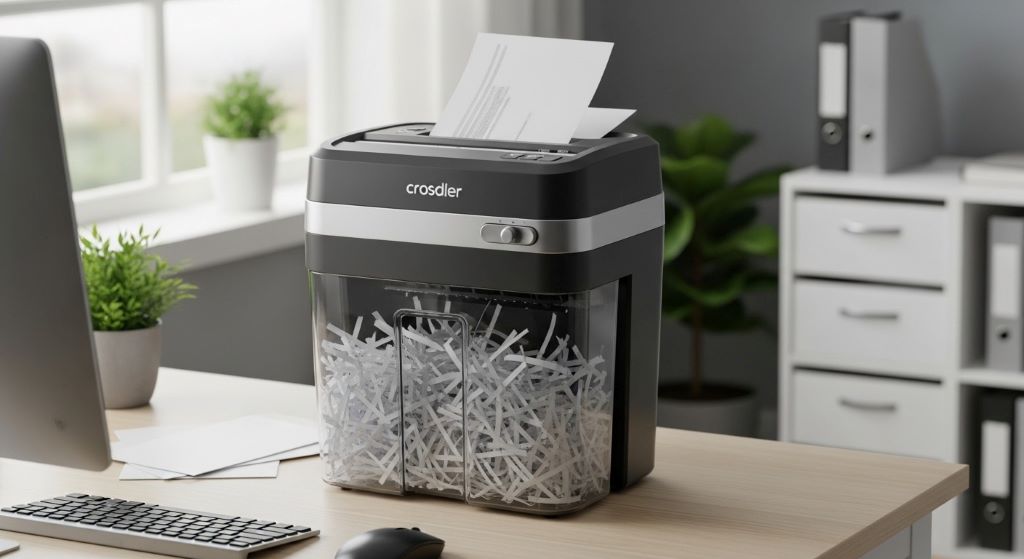
Choosing the right paper shredder for your small office can feel overwhelming. With countless models available, each promising different capabilities, making an informed decision requires careful consideration. This guide will walk you through everything you need to know to select a shredder that meets your specific needs without breaking the budget.
Understanding Your Shredding Needs
Before diving into product specifications, take time to assess your actual requirements. Small offices vary significantly in their document destruction needs. A two-person startup will have vastly different demands compared to a ten-person accounting firm handling sensitive client information daily.
Consider how much paper your office generates weekly. Do you primarily shred occasional documents, or does your team regularly dispose of confidential materials? Understanding your volume helps narrow down appropriate models quickly. Additionally, think about the types of materials you’ll destroy. Some offices only shred paper, while others need equipment capable of handling credit cards, CDs, or stapled documents.
Security Levels Matter
Document security represents a critical consideration when selecting shredding equipment. Different industries face varying compliance requirements, and choosing the wrong security level could expose your business to serious risks.
Shredders are classified into security levels, typically ranging from P-1 to P-7. Lower levels create large strips, suitable for non-confidential materials like junk mail. Higher levels produce confetti-like particles, necessary for highly sensitive information. Most small offices function well with P-3 or P-4 security levels, which create small cross-cut pieces difficult to reconstruct.
Financial institutions, healthcare providers, and legal firms often require higher security ratings. Therefore, verify your industry’s compliance standards before purchasing. Investing in appropriate security now prevents costly breaches later.
Sheet Capacity and Speed
Sheet capacity indicates how many pages you can shred simultaneously. This specification directly impacts efficiency. Models designed for small offices typically handle between 8 and 20 sheets per pass.
However, manufacturers sometimes inflate these numbers. Real-world capacity often falls slightly below advertised figures, especially with thicker paper stocks. When evaluating options, consider choosing a machine with capacity slightly above your typical needs. This approach prevents jamming and extends equipment lifespan.
Speed matters less for occasional users but becomes crucial for offices with regular shredding demands. Continuous-duty models can run longer without overheating, whereas basic units require frequent cooldown periods. Match the duty cycle to your actual usage patterns rather than assuming you need the most powerful option.
Bin Size and Convenience
Bin capacity determines how often you’ll empty the shredder. Smaller bins require frequent emptying, which disrupts workflow and wastes time. For small offices, bins ranging from 5 to 10 gallons usually provide good balance between footprint and convenience.
Transparent windows let you monitor fill levels without opening the unit. This simple feature prevents overfilling, which can create messy situations. Pull-out bins simplify the emptying process, particularly important if different team members share the equipment.
Consider where you’ll place the shredder. Units with casters offer flexibility, allowing you to move equipment as needed. Conversely, compact designs fit easily under desks or in corners, saving valuable floor space in cramped offices.
Noise Levels
Office environments require concentration, and loud equipment disrupts productivity. Shredders vary considerably in noise output, with some models operating relatively quietly while others create significant racket.
Check decibel ratings when available. Levels below 60 dB generally won’t disturb nearby workers. Cross-cut shredders typically run quieter than strip-cut models, offering another advantage beyond security. Additionally, placing shredders on rubber mats or in enclosed spaces can reduce noise transmission.
Advanced Shredder Features
Modern machines offer numerous convenience features that enhance usability. Auto-start and auto-stop sensors detect paper insertion and shut down when finished, eliminating the need for manual operation. This hands-free approach proves particularly valuable in busy offices.
Jam prevention technology has improved dramatically. Better models include auto-reverse functions that back out stuck paper, clearing jams without manual intervention. Some units even provide visual or audible alerts when you’ve inserted too much paper.
Safety features protect users from injury. Automatic shut-off mechanisms activate when bins are removed or hands get too close to the cutting mechanism. If children ever visit your office, these safeguards become essential.

Creating Your Buying Checklist
Developing a systematic buying checklist ensures you evaluate options consistently. Start by listing your non-negotiable requirements, then add preferred features that would enhance usability without being essential.
Your checklist should include security level requirements based on the sensitivity of documents you handle. Specify minimum sheet capacity to match your typical workload. Determine acceptable bin size based on shredding frequency and available space. Set a realistic budget that balances quality against affordability.
Include maintenance considerations on your checklist. Some shredders require regular oiling, while others feature self-lubricating systems. Manual lubrication isn’t difficult, but busy offices might prefer automatic systems. Similarly, consider warranty coverage and available customer support when comparing options.
Evaluating Build Quality
Construction quality significantly impacts longevity. Shredders with metal gears last longer than plastic equivalents, particularly under regular use. Check whether the cutting mechanism is steel or hardened alloy, as these materials withstand continuous operation better.
Motor power determines how effectively the unit handles tough jobs. Underpowered motors struggle with staples, paperclips, or thick stacks, leading to frequent jams. Look for motors rated appropriately for your intended usage level.
Read user reviews carefully, paying attention to comments about reliability and customer service. Patterns in feedback often reveal issues that specifications don’t disclose. Multiple reports of similar problems should raise red flags, regardless of attractive pricing.
Understanding Total Cost of Ownership
Purchase price represents just one component of ownership costs. Energy consumption varies between models, with some units drawing significant power even in standby mode. Energy-efficient designs reduce long-term operating expenses.
Maintenance supplies add ongoing costs. Shredders requiring lubricant sheets or oil need regular replenishment. While these products aren’t expensive individually, costs accumulate over years of operation. Self-maintaining models eliminate this expense entirely.
Bag or liner requirements also impact budget. Some manufacturers use proprietary bags that cost more than standard trash bags. Others accommodate standard liners, offering flexibility and savings. Calculate these recurring costs when comparing models with different price points.
Warranty and Support Considerations
Warranty coverage indicates manufacturer confidence in their product. Look for warranties covering at least two years on the cutting mechanism, as this component experiences the most stress. Longer coverage on motors and electronics provides additional peace of mind.
Customer support quality matters when problems arise. Companies with responsive service departments, readily available parts, and clear troubleshooting resources make ownership easier. Check whether support is available through phone, email, or chat, and verify their business hours match your schedule.
Some manufacturers offer on-site service for business equipment, though this typically applies to higher-end models. For smaller units, you’ll likely need to ship malfunctioning equipment for repairs. Understand the process and any associated costs before purchasing.
Where to Purchase
Office supply retailers, online marketplaces, and manufacturer websites all sell shredding equipment. Each channel offers distinct advantages. Physical stores let you examine units before buying, while online options typically provide better pricing and wider selection.
Reading detailed reviews becomes easier online, where you can access feedback from numerous users. However, exercise caution with reviews, as some may be incentivized or fake. Look for verified purchase badges and detailed comments rather than brief generic praise.
Consider purchasing from vendors with flexible return policies. Testing a shredder in your actual office environment reveals issues that specifications don’t capture. Generous return windows let you evaluate performance risk-free.
Installation and Placement
Strategic placement enhances convenience while minimizing disruption. Position shredders near areas where documents accumulate, reducing the temptation to let papers pile up. Centralized locations work well in compact offices, whereas larger spaces might benefit from multiple smaller units.
Ensure adequate ventilation around the shredder. These machines generate heat during operation, and blocked airflow can cause overheating. Leave several inches of clearance on all sides, particularly around ventilation ports.
Electrical requirements are usually straightforward, with most small office shredders operating on standard outlets. Nevertheless, verify power requirements before purchase, especially for high-capacity commercial models. Avoid using extension cords when possible, as they can create safety hazards.
Training Your Team
Even the best shredder won’t perform well if users don’t understand proper operation. Provide brief training covering basic functions, capacity limits, and jam prevention. Demonstrate how to empty bins and address common issues.
Create simple operating guidelines posted near the equipment. Include maximum sheet counts, acceptable materials, and basic troubleshooting steps. Clear instructions prevent misuse that could damage the machine or create safety risks.
Establish protocols for handling jams, replacing full bins, and reporting malfunctions. Designating specific team members for maintenance tasks ensures accountability and prevents problems from being ignored.
Conclusion
Selecting the right paper shredder for your small office requires balancing numerous factors including security needs, capacity requirements, budget constraints, and available space. By carefully evaluating shredder features against your specific requirements and developing a comprehensive buying checklist, you can confidently choose equipment that serves your office well for years to come.
Remember that the cheapest option rarely provides the best value. Instead, focus on finding a shredder that matches your actual usage patterns, offers appropriate security levels, and comes from a reputable manufacturer with solid support. Taking time to research thoroughly now prevents frustration and wasted money later.
Frequently Asked Questions
What security level shredder do I need for general office documents?
Most small offices function well with P-3 or P-4 security level shredders. These cross-cut models create small particles that adequately protect standard confidential information like financial records, personnel files, and client data. However, industries with specific compliance requirements may need higher security ratings.
How often should I oil my paper shredder?
Oiling frequency depends on usage volume and manufacturer recommendations. Generally, shredders used daily should be oiled weekly, while occasional-use models may only need monthly lubrication. Some modern shredders feature self-lubricating systems that eliminate manual maintenance entirely.
Can paper shredders handle stapled documents?
Many small office shredders can process documents with staples or small paper clips without damage. However, this capability varies by model. Check specifications before purchasing if you regularly shred stapled materials, as not all units offer this feature.
What causes paper shredders to jam frequently?
Common jamming causes include exceeding sheet capacity, inserting paper at angles, using worn or damaged cutting blades, insufficient lubrication, and attempting to shred unsuitable materials. Following manufacturer guidelines and performing regular maintenance significantly reduces jam frequency.
Are cross-cut shredders better than strip-cut models?
Cross-cut shredders provide superior security by creating smaller, harder-to-reconstruct particles compared to strip-cut models. They also typically operate more quietly and produce more compact waste. Strip-cut shredders are faster and less expensive but offer minimal security for confidential documents.
Related Topics:
Costco Optical Return Policy for Contact Lenses and Glasses
How to Make Your Own DIY Fishing Scent Attractant Sticks